TechHaven DrivePro+ Dash Cam — 4K, Built-in GPS & Night Vision


TechHaven DrivePro+ Dash Cam — 4K, Built-in GPS & Night Vision
The TechHaven DrivePro+ takes everything the DrivePro does and adds built-in GPS tracking — so every recorded clip is tagged with exact time, date, speed and location. The ultimate protection for serious drivers, fleet vehicles and rideshare professionals.
Everything DrivePro Has, Plus GPS:
- 🗺️ Built-in GPS — every clip tagged with speed, location and timestamp
- 📹 4K Recording — ultra clear footage day and night
- 🌙 Advanced Night Vision — HDR technology for clear low-light recording
- 📶 Built-in WiFi — instant phone access to all footage
- 🅿️ 24H Parking Surveillance — full protection around the clock
- ⚡ Fast GPS Lock — location tracking active within seconds of starting
Perfect for rideshare drivers who need location proof, parents tracking teen drivers and fleet vehicle managers who need complete accountability.

Please ask the customer to carefully review the accessories included in the package main image before placing an order based on their needs. Please refer to the main images of each package for accuracy. (The items included in the SKU package are subject to the package pictures)
About Carplay/Android Auto Connection:
(1) If it is an Apple phone, the DVR menu needs to select the Carplay connection method as the connection method. The Carplay software installed on the Apple phone can directly connect to the DVR through the Carplay function.
(2) If it is an Android phone, the DVR menu needs to select Android Auto as the connection method, and then download the Android Auto software from the Google App Store to connect to the DVR(Note: You must make sure to download the "Android Auto" software from the Google App Store. Downloading it from other channels may not work.)
About WIFI Connection:
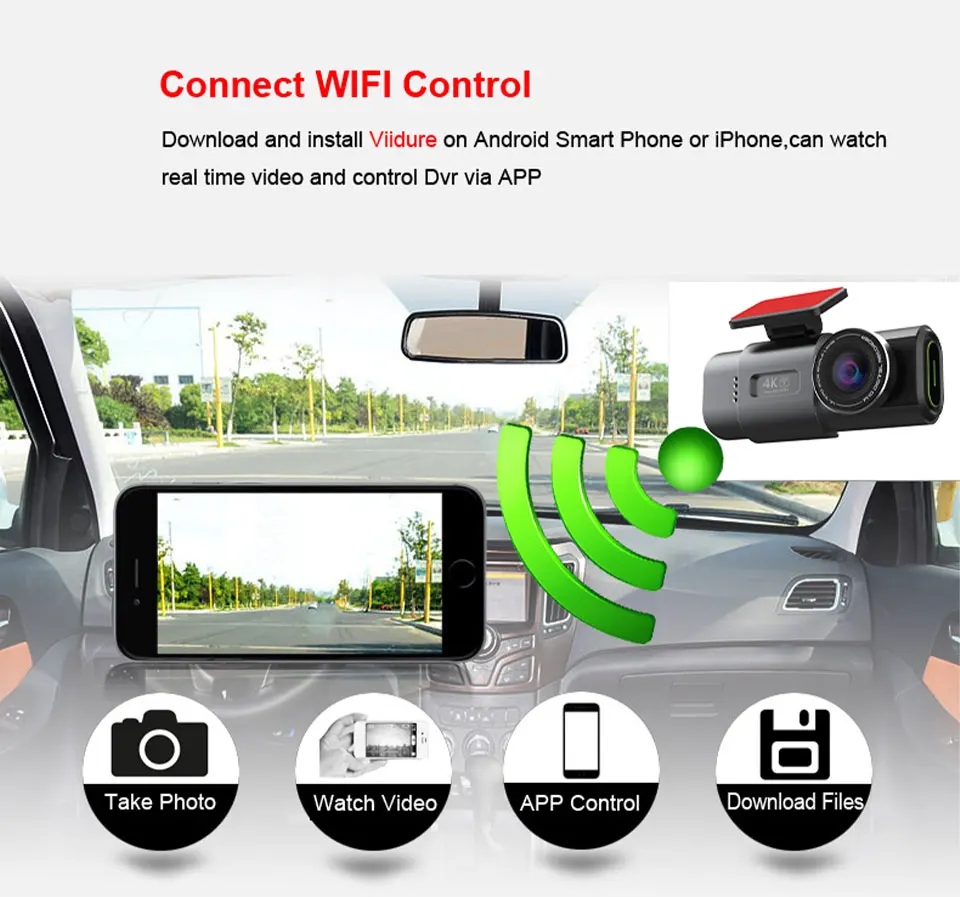
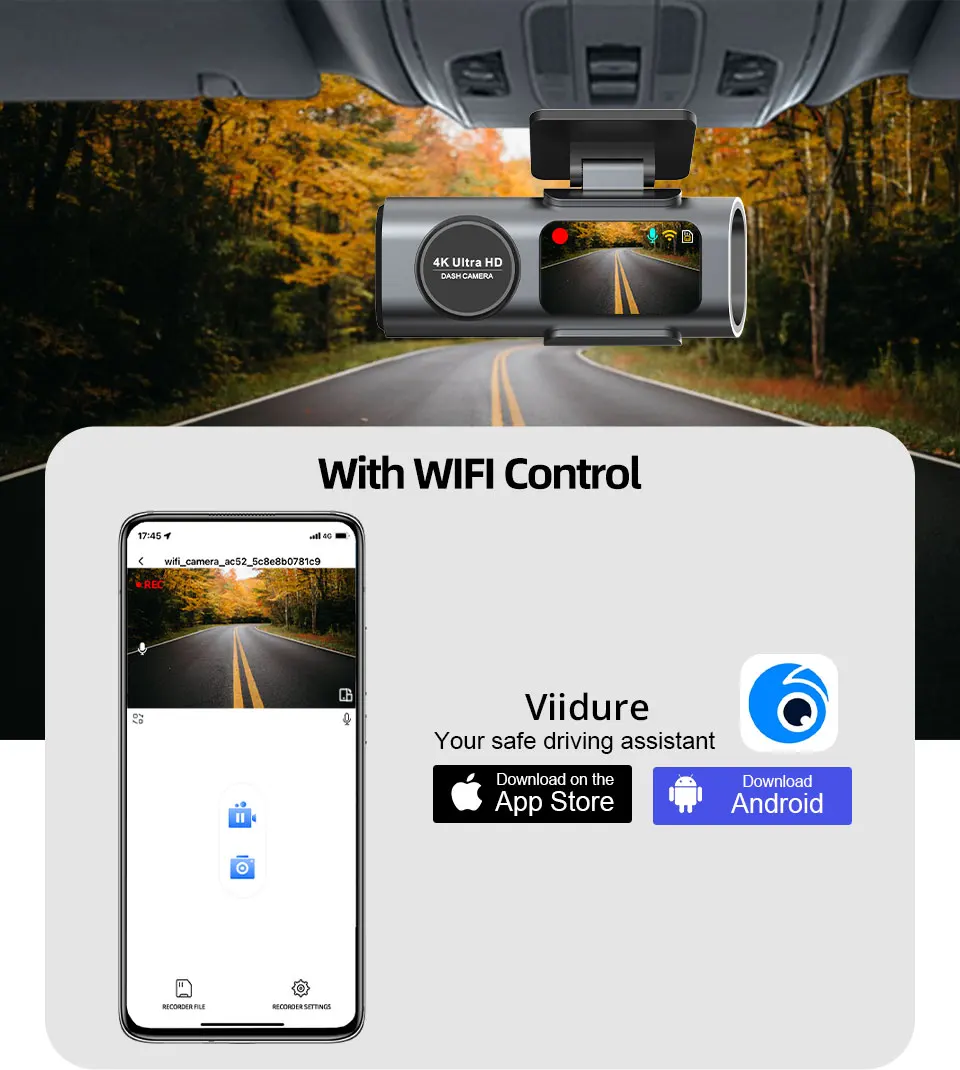
Before connecting to the DVR on the phone, it is necessary to install the WIFI connection app "Viidure" in advance.You can search for "Viidure" installation in the Apple App Store or Google App Market.
Steps:
(1) Enter the DVR menu and enter the WIFl setting menu,nable WiFi function;
(2)In the wifi menu of the DVR, check to obtain the wifi SSID name and password;
(3)Open the "Viidure" APP on your phone, enter the configuration mode, turn on the wifi function of the phone, follow the prompts to find the SSID wifi signal of the DVR and enter the password to connect;
(4)After successful configuration, you can connect and operate the DVR through the "Viidure" APP.
Features And Specifications
●Model Number: B53P
●Installation Type: Portable Recorder
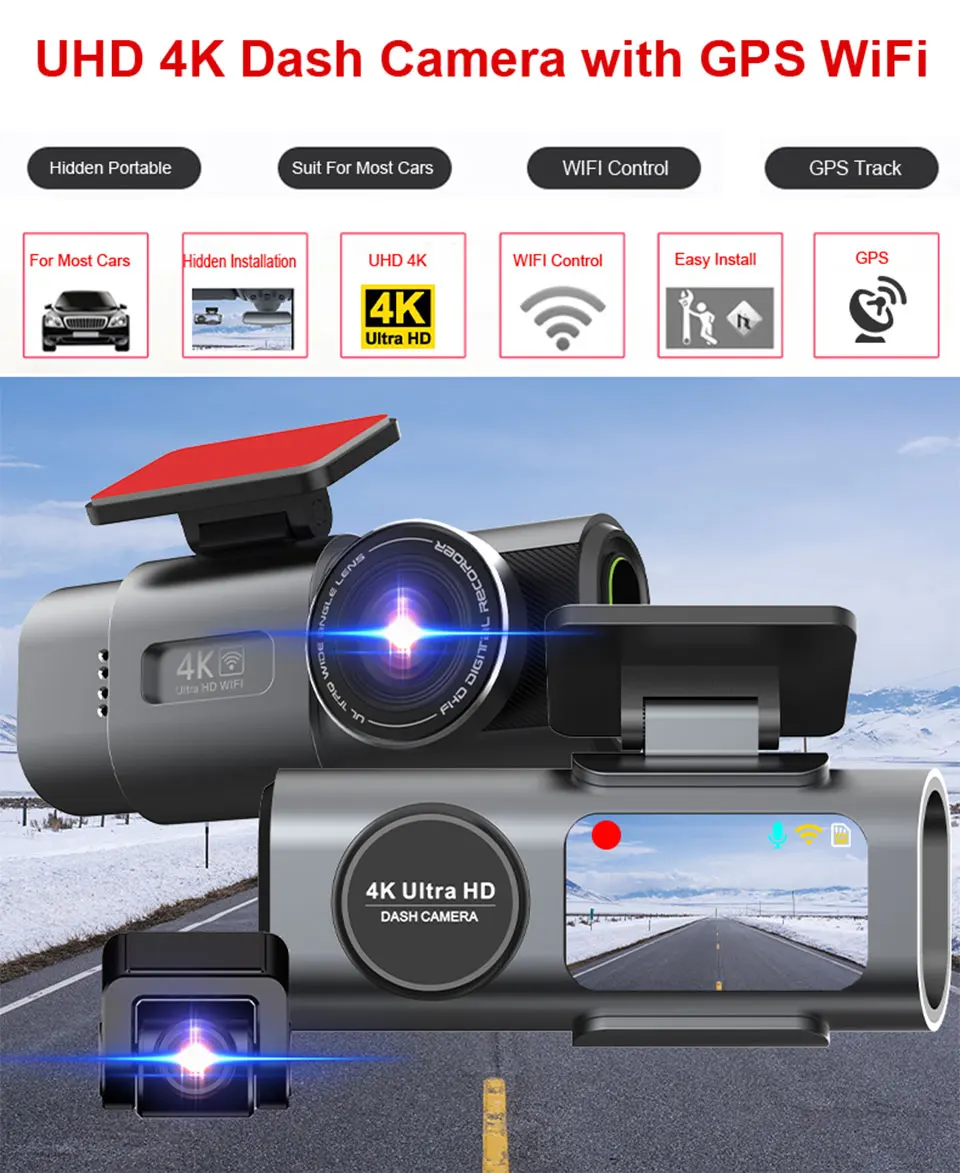
●Chipset: Novatek 96670
●Imaging sensor: Sony IMX415
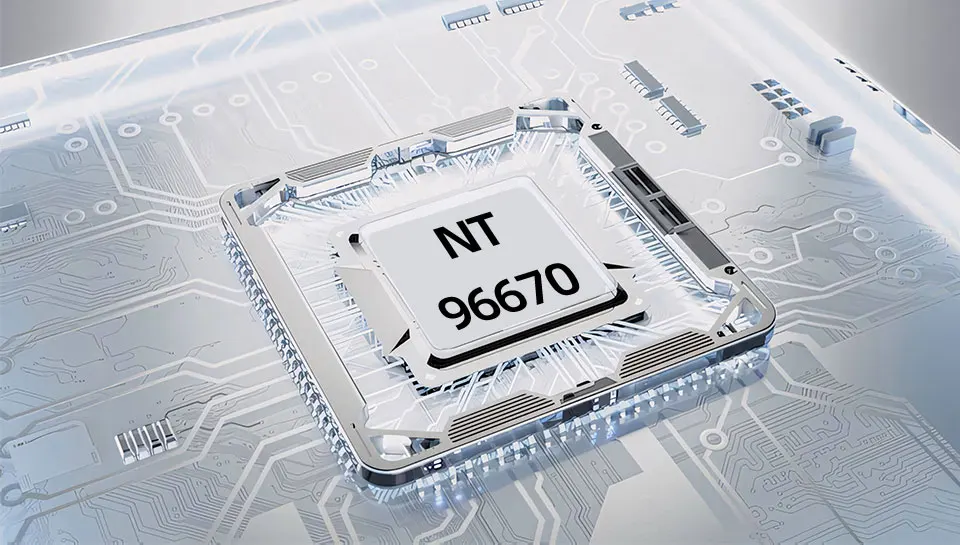
●Camera Lens: Front + Rear; 6 Glass + 4 Glass ; 170 Degree Angle + 140 Degree ; F1.6 Aperture + F2.0 Aperture
●Video Resolution:Front: 3840x2160@25FPS; Rear: 1920*1080P@25FPS
●OSD Languages: English, Russian, Dutch, French, Spanish, Portuguese, German, Italian, Chinese, Japanese, Korean, Polish, Thai, Vietnamese,tc..... (You can change the desired language on the app)
●Memory Card: Micro SD Card, Class 10 and 16GB to 128GB (Not included)
●Add Features: Support Night Vision, Wifi,GPS
Packing List
1 x Packaging box
1 x DVR
1 x Electrostatic sticker
1 x Power charger
1 x User manual
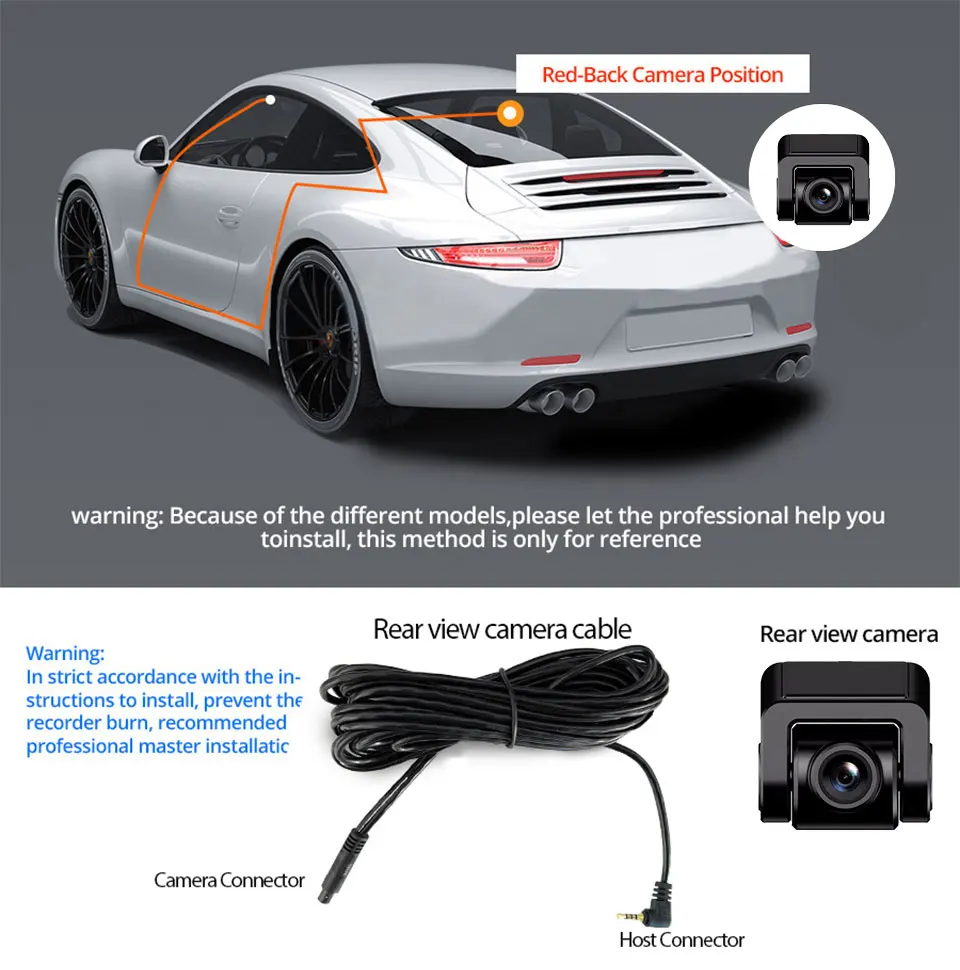
1 x 1080P Sony Night Vision Rearview Camera With 6 Meters Cable(Optional)
1 x Hardwire Buck Line For 24H Parking Monitoring(Optional)
1 x Real class10 High Speed TF Card(Optional)
Pay Attention
●About 24h Monitoring:
The DVR is only compatible with cars that have a 12V power supply. A 24V power supply will burn the motherboard. If you want to use 24V, please add a 24V to 12V Converter(BL).
●About Video:
Our Car DVR is FHD 4K Video Recorder,must use high quality class10 TF Card, any low quality/low speed TF card all can't support our DVRs work normally, if you can't make sure you have good TF Card,please buy our Original TF Card together
● About Rear Camera:
Because the Chipset and Camera Sensor are different with other seller, we only guarantee that our Original rear Camera can work well with our Dashcam.
Main Features
Smart Chip
Based on powerful Novatek 96670 CPU, the dual lens simultaneously capture.front and rear at 3840*2160@25fps+1920*1080P@25fps.
6 Glasser Camera Lens
With the Revolutionary Super Night Vision Technology, the car dash cam can capture clearer videos and photos even in low-light night conditions. F/1.6 Largest Aperture Available + 6-Glass Wide Angle Lens with Proprietary Focal Length of the lens gives you more clear smaller details.
Connect WIFI Control
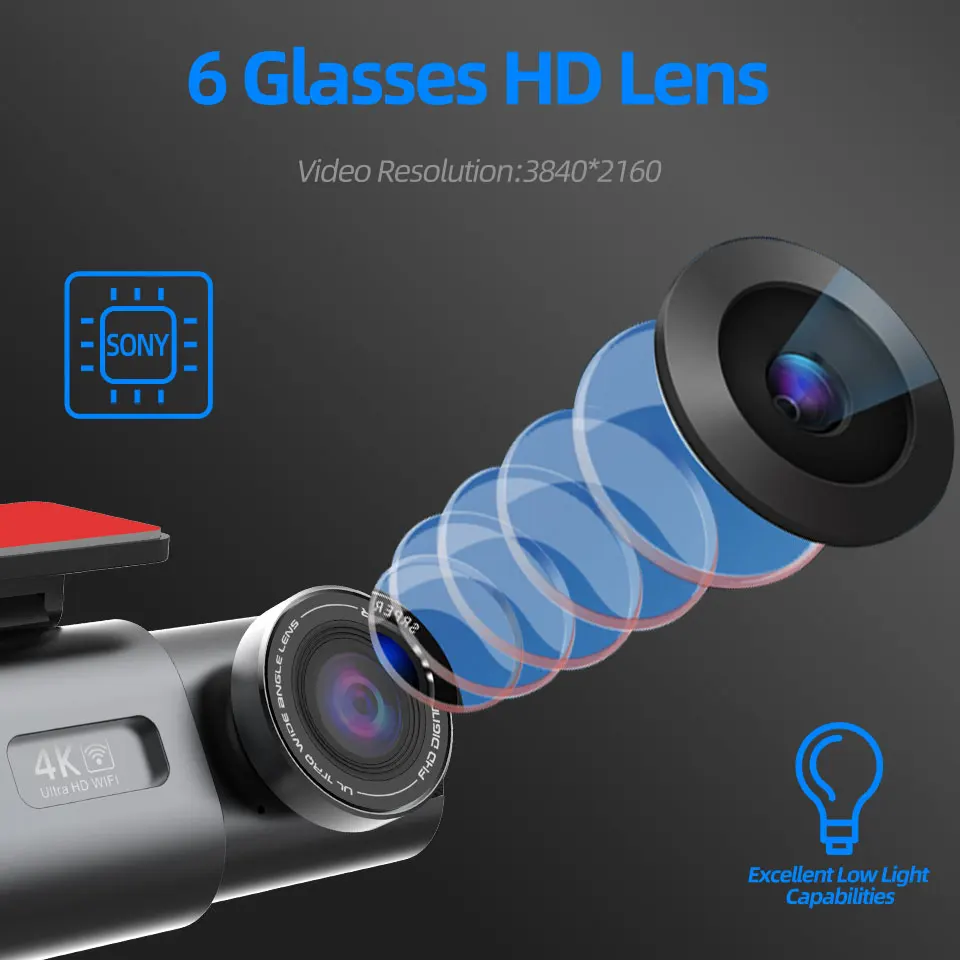
You can control the DVR by connected mobile phonevia WiFi, like recording video, the file recorded video from the overwriting.taking photo, playback preview,parameter settings, etc.
GPS Function
GPS function is to record the driving route location.we can see the speed and driving route on the computer by provided player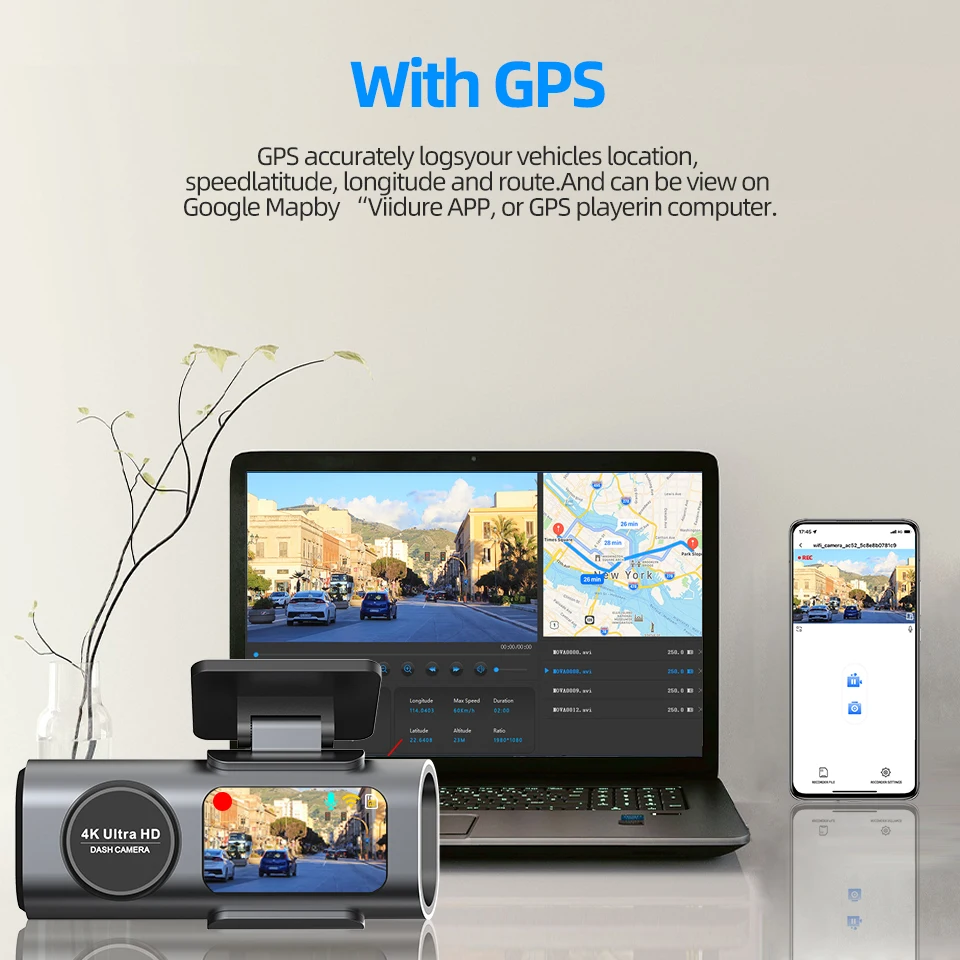
GPS connection
When connecting the GPS module for the first time, you need to wait for the GPS module to locate. After the positioning is successful, the GPS icon on the screen changes from red to green. After logging in to the mobile phone APP, you can view the running track.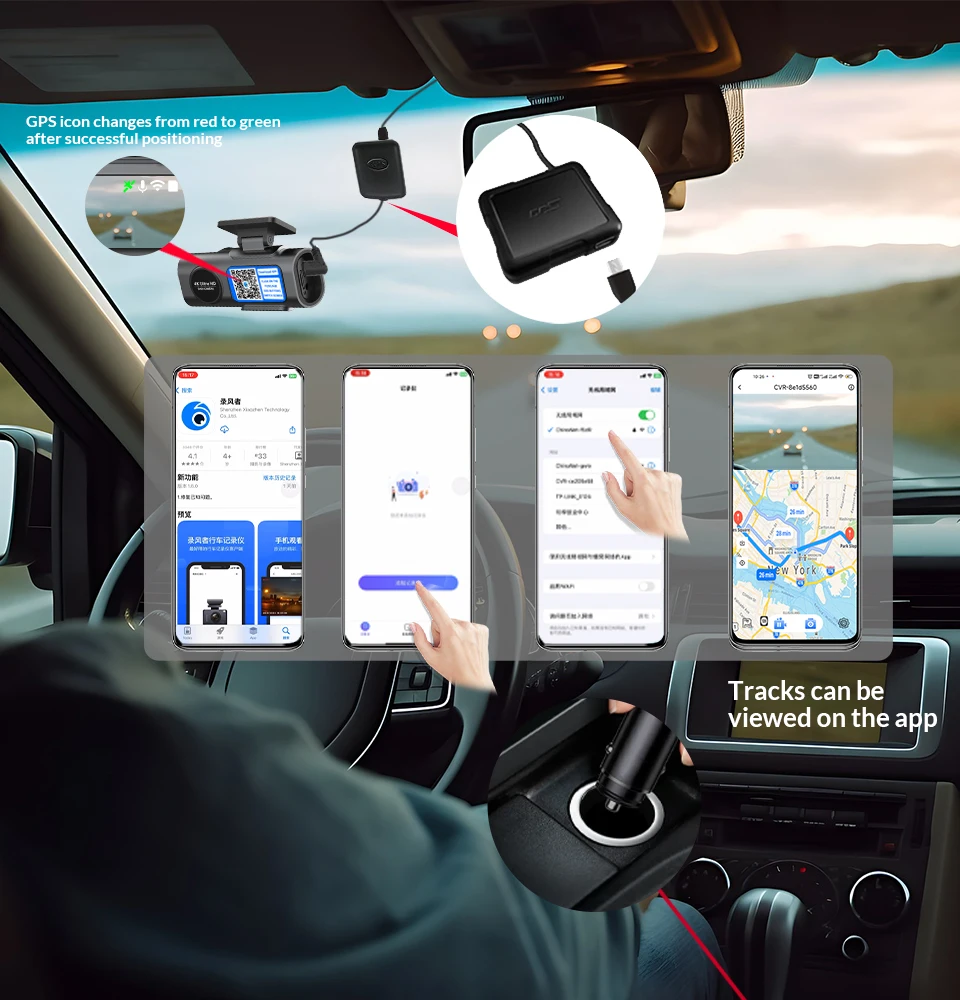
Dual Lens Recording
170 Degree Angle front camer with 140 Degree Angle Rear view Camera (Optional) that allows for simultaneously recording videos from two different angles. Two split view make you have clear view from front and back-up camera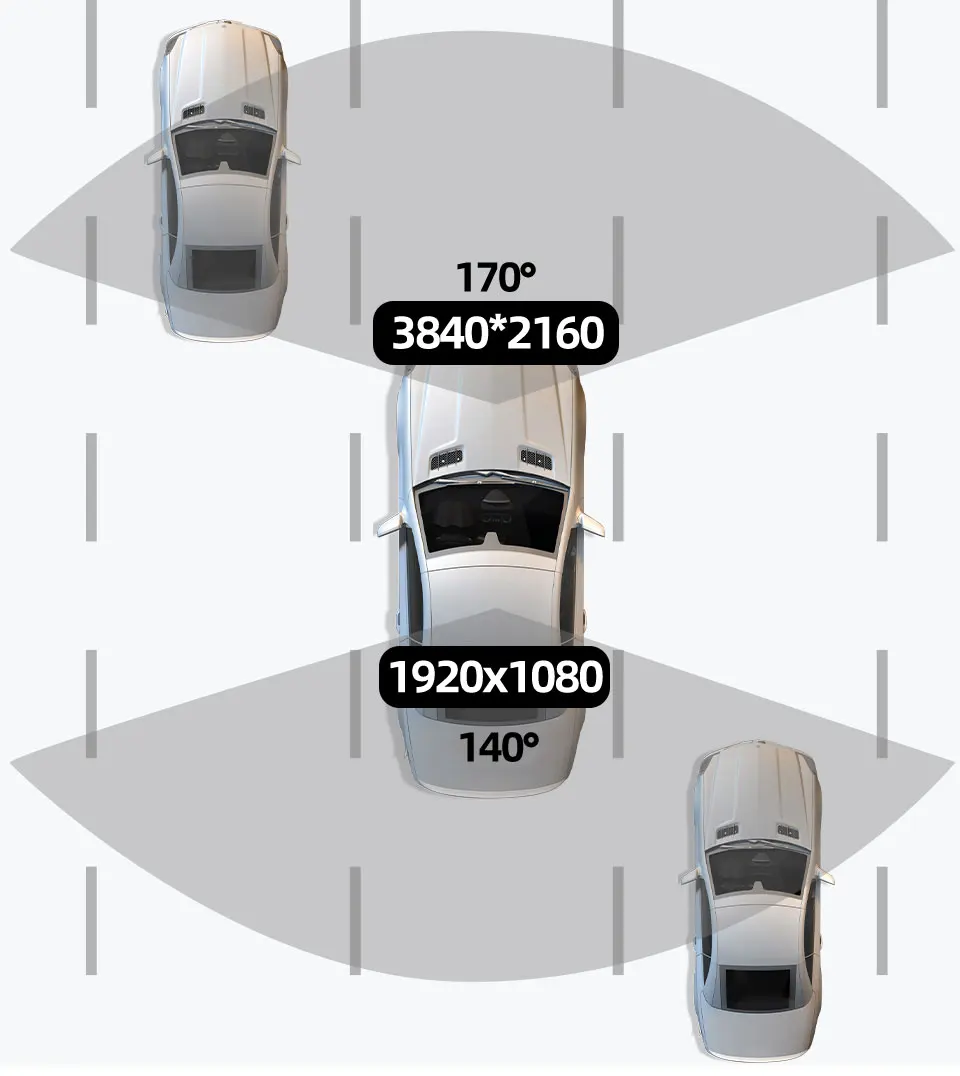
Versatility Of Rear Camera
You can install the rear lens on the rear windshield to record the rear view of the car, or you can install the rear lens on the front windshield to record the inside view of the car.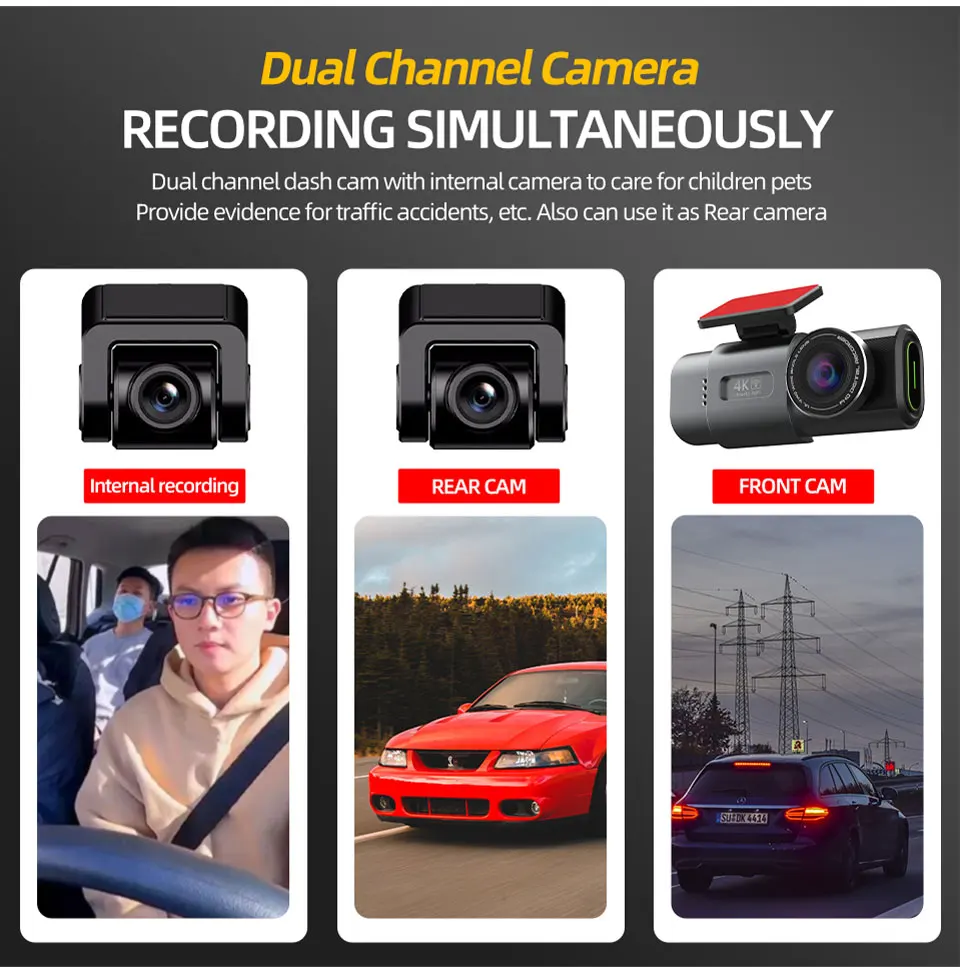
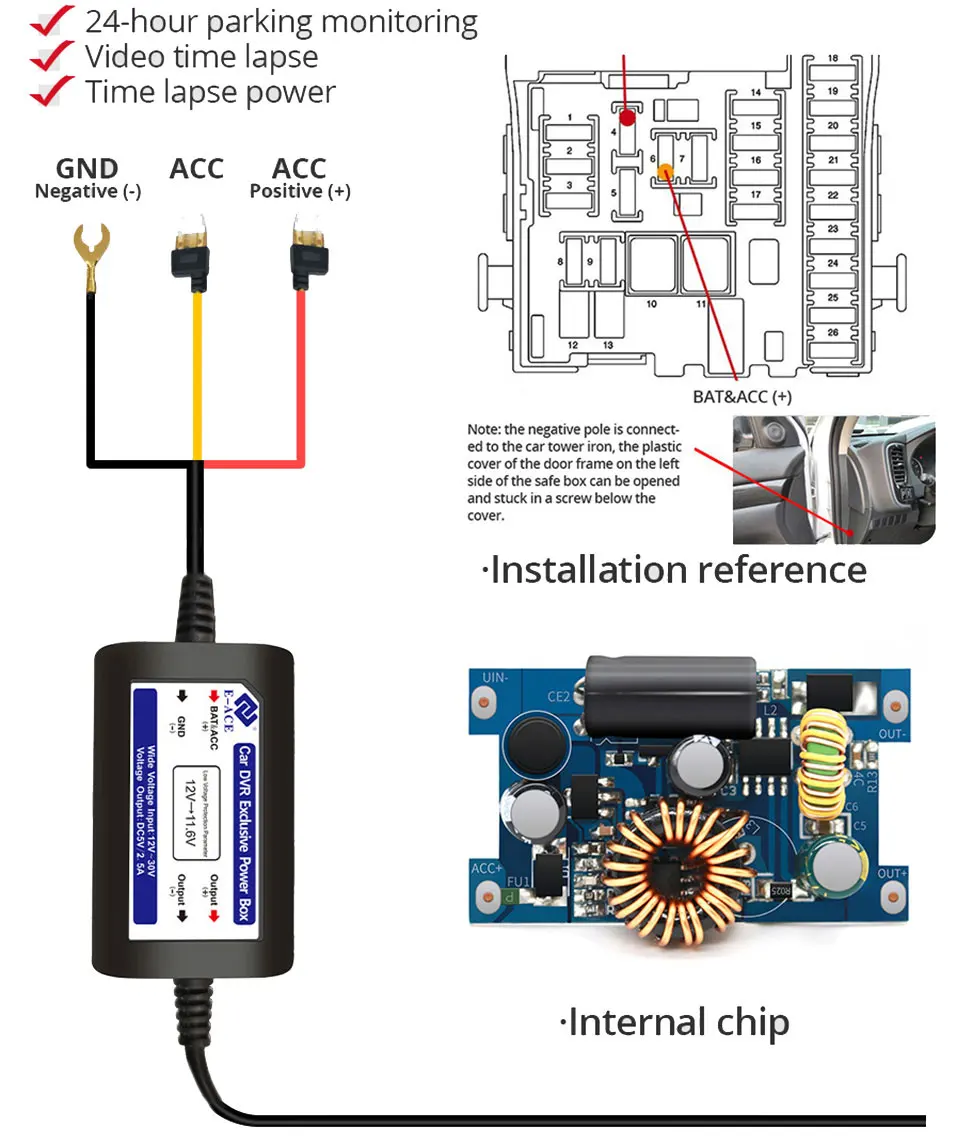
Buck Line
Use the buck line to not occupy the cigarette lighter interface.
First, connect the negative pole( Hardwire Kit) of the Hardwire Kit to the ground of the car fuse box;
Secondly, if you want to continue monitoring after parking (the DVR works 24 hours), connect the positive pole(red line) of the Hardwire Kit to the BAT interface of the car fuse box;
If you want to stop monitoring after parking (the DVR does not work after parking), connect the positive pole of the Hardwire Kit to the fuse box ACC interface.
Product Display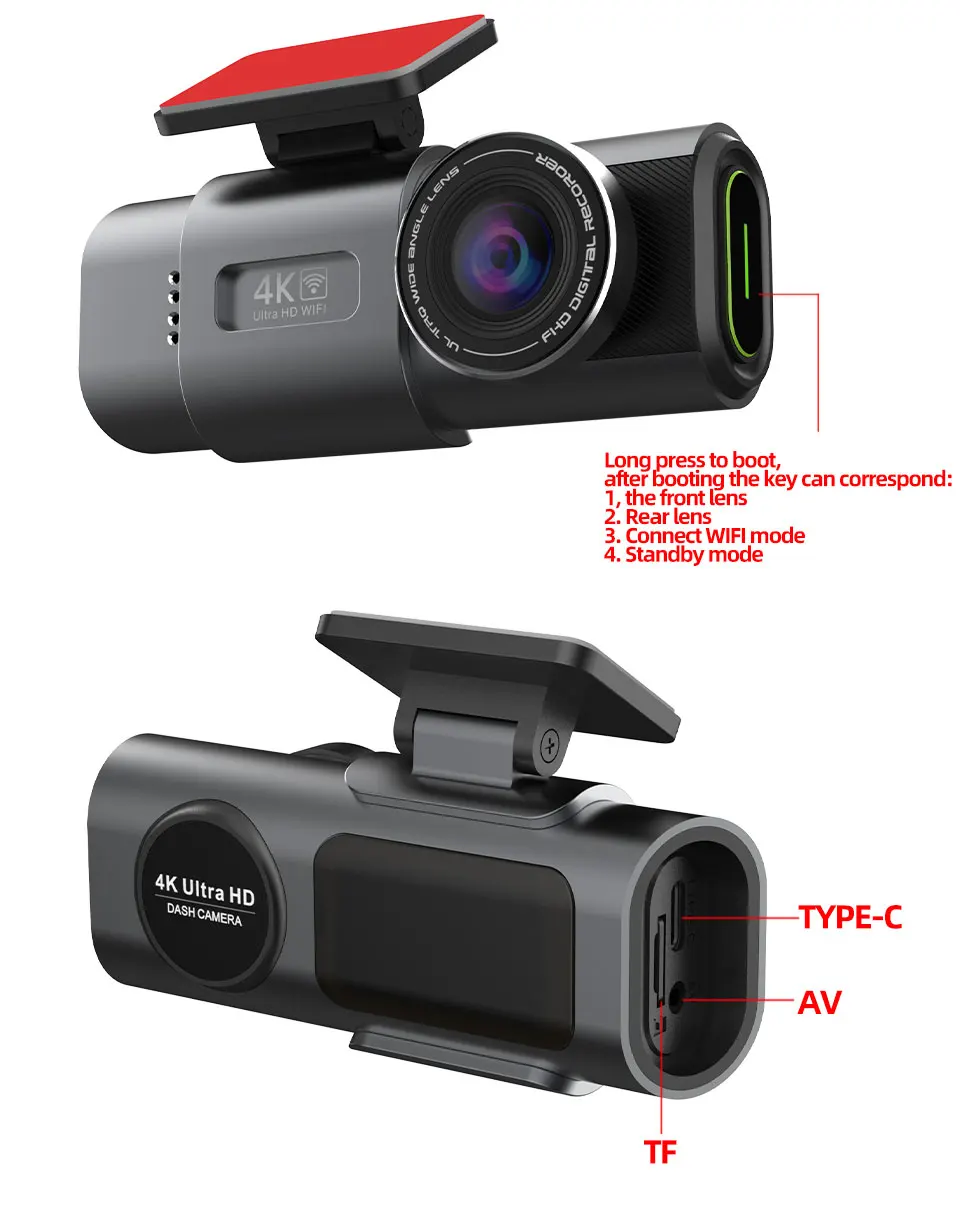
Parking List
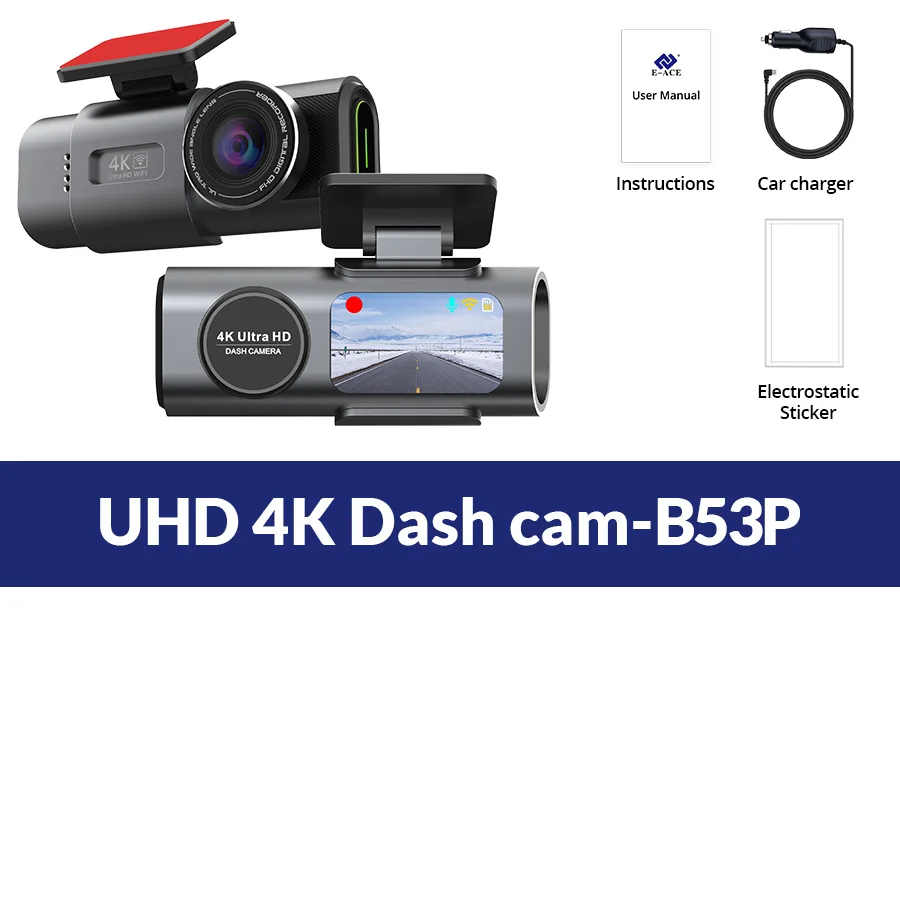
Only 4K Dash Cam-B53P
-1 x 4K DVR (Without Rearview Camera)
-1 x Power charger
-1 x User Manual
-1 x Electrostatic sticker
-1 x USB Card Reader (Gift)
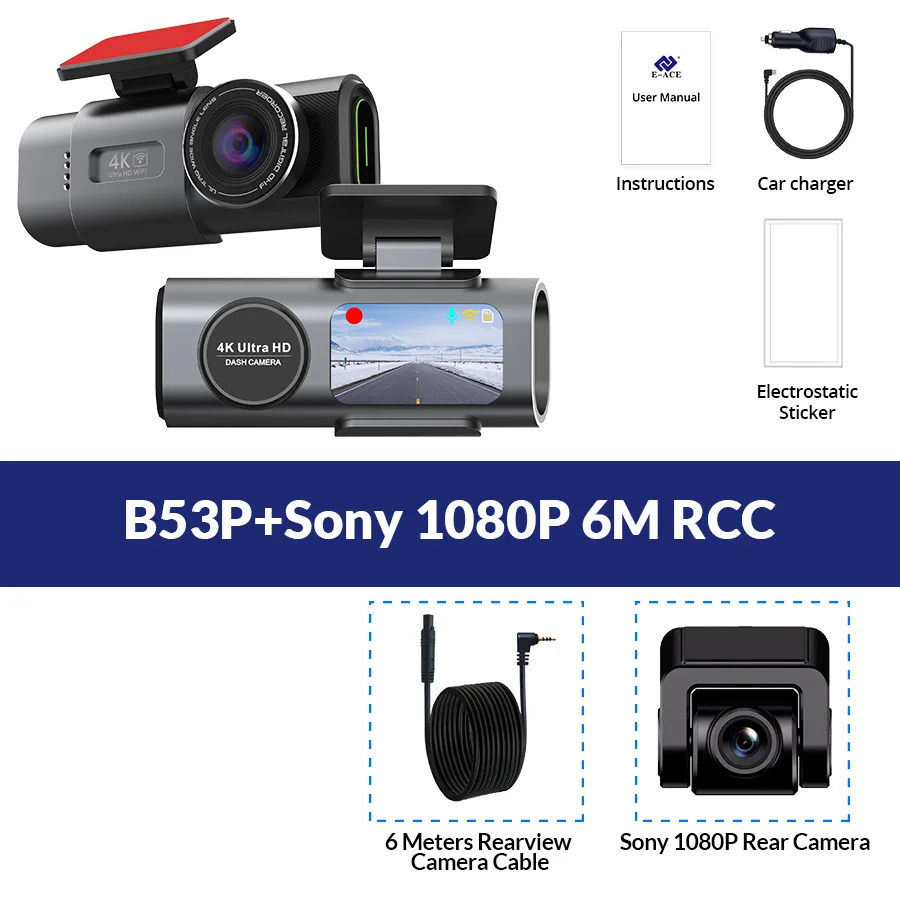
B53-6M RC
-1 x 4K DVR (Without Rearview Camera)
-1 x Power charger
-1 x User Manual
-1 x Electrostatic sticker
-1 x USB Card Reader (Gift)
-1x1080P Rearview Camera With 6 Meters Cable
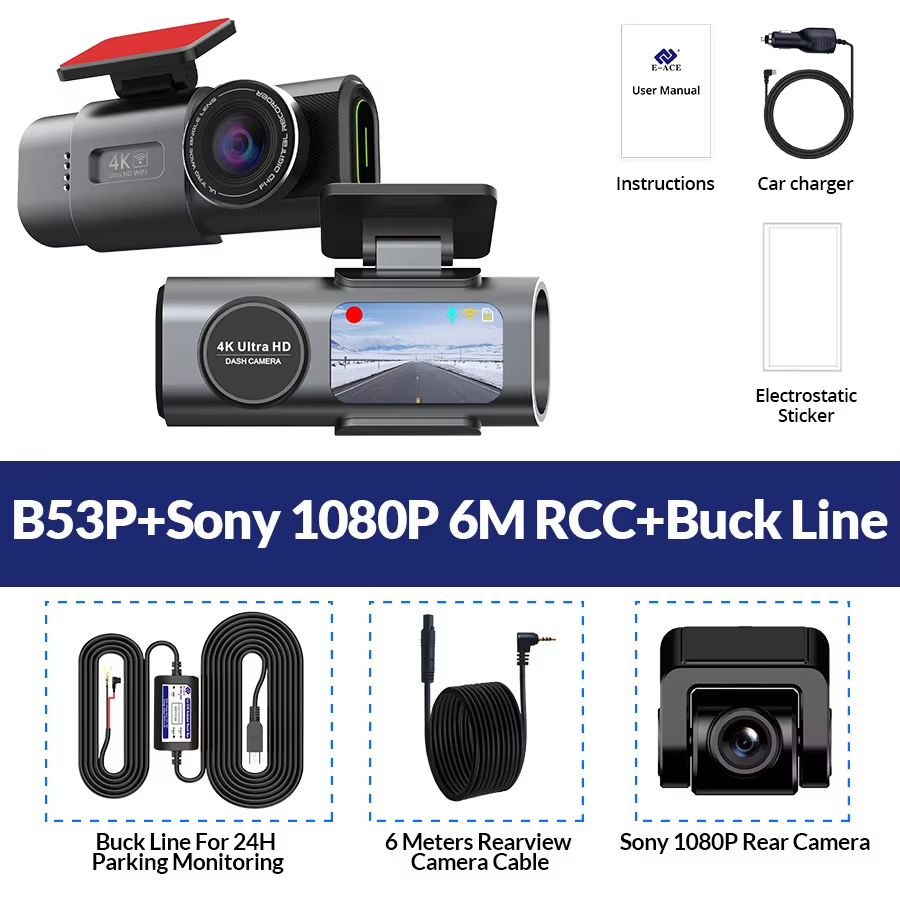
B53-6M RC-Kit
-1 x 4K DVR (Without Rearview Camera)
-1 x Power charger
-1 x User Manual
-1 x Electrostatic sticker
-1 x USB Card Reader (Gift)
-1x1080P Rearview Camera With 6 Meters Cable
-1 x Hardwire Kit For 24H Parking Monitoring
About Rear Camera Installation